
Artificial Intelligence with Photo Supreme
Managing AI Labels
After detecting labels with OpenAI, Ollama, or Google Vision, Photo Supreme stores the identified AI Catalog Labels within the Catalog Structure, under a top-level category called "AI Labels."
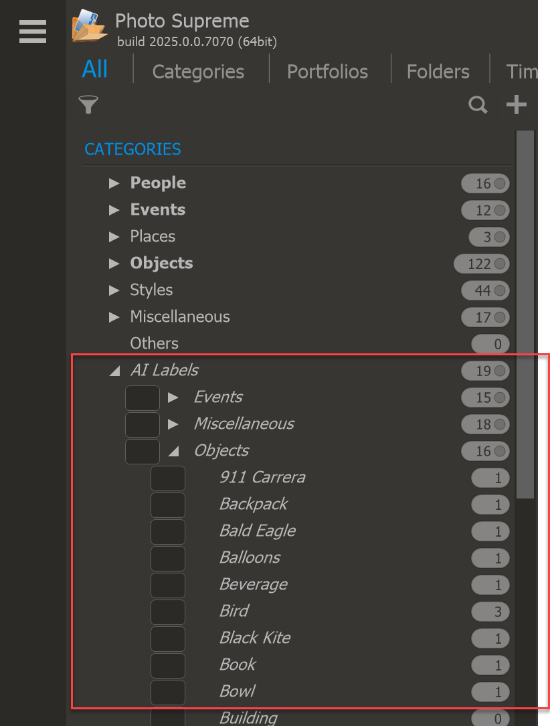
The AI Labels Category is a private category, so the labels inside it won't appear as keywords in the image metadata. If you'd like to use one of these labels in your regular categories, you can drag it to your preferred category. For example, you can drag "Botany" from the AI Labels category to the "Styles" category. This action adds the label to your personal catalog, and if the same label is detected in the future, it will be automatically assigned.