
Install Photo Supreme Server with PostgreSQL 18
Configuring PostgreSQL
After installing the software, if you want to access the catalog from other computers on your network, you'll need to make a small change to allow remote connections (so other computers can connect to the database).
To do this, you'll need to edit a file called pg_hba.conf, located in the Data Folder you chose during installation. You can open this file using any text editor. On Windows, Notepad works just fine, and on macOS, you can use TextEdit.
Start your text editor and load the pg_hba.conf file from the configured data folder.
Find the IPv4 entry for:
host all all 127.0.0.1/32 scram-sha-256
And find the IPv6 entry for:
host all all ::1/128 scram-sha-256
Configure this block as below to allow TCP/IP connections from other machines.
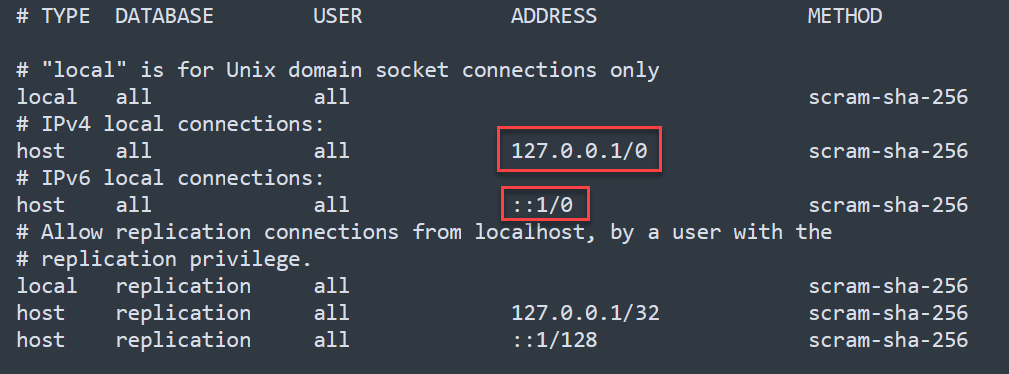
After making the change, save your pg_hba.conf file and restart the computer for the changes to go into effect.
NOTE: When connecting to PostgreSQL on a separate server, configure the server’s firewall software to allow access to the PostgreSQL TCP/IP port (default 5432) and grant connections to the pg_ctl.exe program (Windows).